When Margaret’s 78-year-old father with early-stage Alzheimer’s left his Toronto home for a walk and didn’t return after three hours, the family’s panic was immediate. They’d discussed getting a GPS tracker for elderly in Canada months earlier but hadn’t acted on it. After a frantic search involving neighbors and eventually police, they found him six kilometers from home, disoriented and exhausted but physically unharmed. The incident accelerated Margaret’s research into senior safety technology—but she quickly discovered that “GPS tracking” encompasses vastly different solutions with different capabilities, costs, and appropriateness for different situations.
GPS tracking represents just one category in a broad spectrum of senior safety technologies, each serving different needs. A GPS tracker that prevents wandering may do nothing for a senior who falls and can’t call for help. A medical alert system with professional monitoring may provide better emergency response but offer no location tracking. Smart home sensors detect unusual patterns but require the senior stay home. Understanding which technologies address which risks—and when technology alone is insufficient—helps families make informed decisions about supporting aging parents’ independence safely.
This comprehensive analysis examines GPS tracking alongside alternative and complementary senior safety technologies, addressing when each approach is appropriate, what they actually cost, privacy and dignity considerations families must navigate, and honest assessment of when technology cannot substitute for increased care levels or professional assistance.
Understanding the Spectrum of Senior Safety Technology
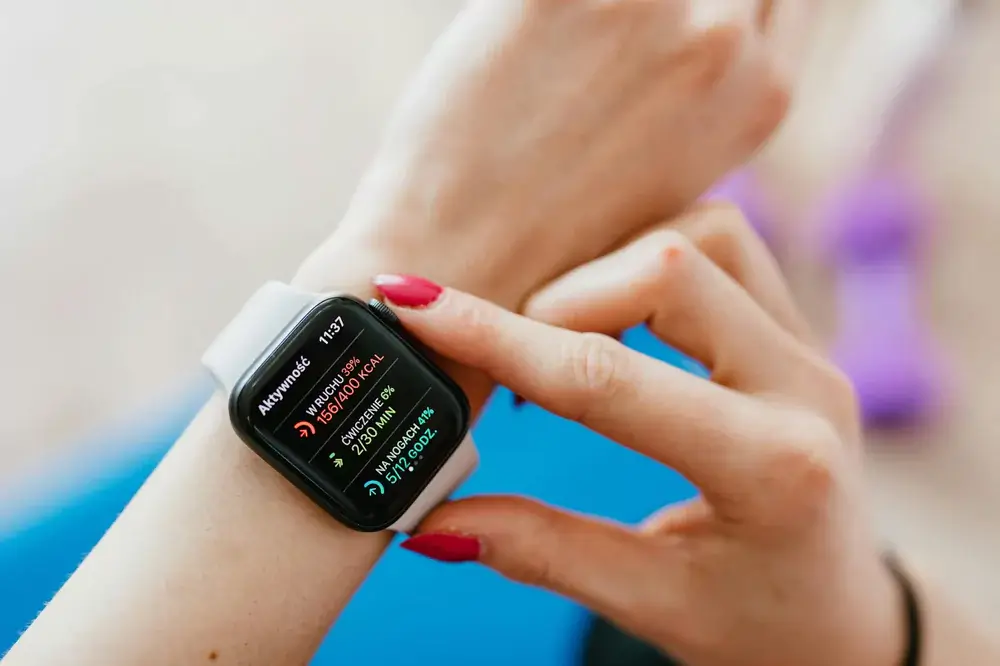
Senior safety technology extends far beyond simple GPS trackers. Understanding the full landscape helps families select solutions matching their specific needs rather than defaulting to whatever they encounter first.
Category 1: Location Tracking Devices
GPS trackers: Devices using Global Positioning System satellites to determine and transmit location data. These range from dedicated wearable trackers to smartphone apps.
Key capabilities:
- Real-time location tracking
- Location history/movement patterns
- Geofencing (alerts when person leaves designated area)
- Some include two-way calling
- Battery life: 2-7 days typically
Best for:
- Seniors with dementia or cognitive immobility who may wander
- Active seniors who travel independently
- Situations where knowing location is primary safety concern
Not suitable for:
- Seniors with limited mobility who fall at home
- Medical emergencies requiring rapid professional response
- Seniors who won’t reliably wear/carry devices
Cost range: $25-300 for device, $10-50/month for service
Category 2: Medical Alert Systems
Traditional medical alert: Wearable button connected to base station that contacts monitoring center when pressed. Professional operators assess situation and dispatch help.
Key capabilities:
- 24/7 professional monitoring
- Direct connection to emergency services
- Fall detection (some models)
- Two-way voice communication through base station
- Medication reminders (some systems)
Best for:
- Seniors with chronic health conditions
- Fall risk seniors living alone
- Situations requiring immediate medical response capability
- Seniors with limited mobility staying primarily at home
Not suitable for:
- Active seniors traveling outside home frequently
- Wandering prevention for dementia patients
- Situations requiring location tracking
Cost range: $20-45/month including monitoring, $0-200 for equipment
Category 3: Mobile Medical Alert with GPS
Hybrid systems: Combine medical alert functionality (emergency button with professional monitoring) with GPS location tracking for use outside the home.
Key capabilities:
- Emergency button with 24/7 monitoring
- GPS location tracking when away from home
- Fall detection on some models
- Two-way voice communication through device itself
- Works anywhere with cellular coverage
Best for:
- Active seniors who need both emergency response and location tracking
- Seniors with health conditions who still travel independently
- Situations requiring both medical monitoring and wandering prevention
Not suitable for:
- Seniors who won’t consistently wear device
- Areas with poor cellular coverage
- Budget-conscious families (most expensive option)
Cost range: $30-70/month including monitoring, $50-300 for device
Category 4: Smart Home Sensors
Passive monitoring systems: Sensors throughout home detect activity patterns, alerting caregivers to deviations from normal routines without requiring wearable devices.
Key capabilities:
- Motion sensors track movement through home
- Door/window sensors detect exits
- Bed sensors monitor sleep patterns
- Smart appliance monitoring (stove left on, etc.)
- Pattern analysis identifies unusual behavior
Best for:
- Privacy-conscious seniors resistant to wearables
- Detecting subtle changes in daily patterns suggesting health decline
- Supplementing other monitoring approaches
- Seniors with consistent home routines
Not suitable for:
- Protection when senior leaves home
- Immediate emergency response (no button to press)
- Active seniors spending significant time outside home
Cost range: $200-800 for system, $20-40/month for monitoring (some systems)
Category 5: Smartphones with Safety Apps
Consumer technology approach: Leveraging smartphones seniors may already own with specialized apps for location sharing and emergency contacts.
Key capabilities:
- Real-time location sharing with family
- Emergency contact buttons
- Medication reminders
- Fall detection (iPhone 14+ and some apps)
- Often free or low-cost
Best for:
- Tech-comfortable seniors already using smartphones
- Budget-conscious families
- Supplementing other safety measures
- Seniors with mild concerns not requiring dedicated devices
Not suitable for:
- Seniors uncomfortable with technology
- Situations requiring professional monitoring
- Seniors who forget to charge phones or leave them behind
Cost range: $0-15/month for apps (if phone already owned)
When GPS Tracking Is Appropriate vs. Insufficient
GPS location tracking serves specific safety needs excellently while being inadequate or inappropriate for others. Understanding these boundaries prevents both over-reliance on unsuitable technology and missing solutions that would actually help.
Scenarios Where GPS Tracking Is Highly Effective
Early to moderate dementia with wandering behavior:
Maria’s 72-year-old mother has Alzheimer’s disease confirmed 14 months ago. She lives with Maria but occasionally leaves the house confused, thinking she needs to go to her old workplace or childhood home. GPS tracking with geofencing alerts Maria within minutes when her mother leaves the property, allowing quick location and safe return.
Why GPS works here: The primary risk is getting lost; the senior is physically capable of walking; immediate medical response isn’t the concern; rapid location identification solves the problem.
Critical complement: GPS works alongside door alarms, secured environment, and supervision, not as sole intervention.
Active seniors traveling independently:
Robert, 68, is retired but very active—hiking, visiting friends, attending events independently. His adult children worry about him having a health incident while out alone. A GPS-enabled medical alert device lets Robert maintain his active lifestyle while giving his family peace of mind through location awareness and emergency button access.
Why GPS works here: Combines location tracking with medical alert capability; Robert’s mobility and independence are assets to preserve; technology adapts to his active lifestyle rather than restricting it.
Seniors with history of getting disoriented:
Even without dementia diagnosis, some seniors experience mild disorientation occasionally—forgetting where they parked, which bus to take, or which direction they walked. GPS provides backup support without requiring constant supervision.
Why GPS works here: Low-level support for infrequent issues; preserves independence while providing safety net; senior can check their own location if confused.
Scenarios Where GPS Tracking Is Insufficient

Advanced dementia requiring constant supervision:
James’s 81-year-old father has advanced Alzheimer’s disease. He wanders constantly, tries to leave the house at night, doesn’t recognize family members, and has limited physical capabilities. GPS tracking tells the family where he goes but doesn’t prevent dangerous situations—leaving gas on, trying to cross busy streets, becoming aggressive with strangers.
Why GPS isn’t enough: Safety requires prevention, not just location. The senior needs supervised living environment or professional memory care. GPS becomes a false sense of security suggesting technology can replace necessary care level increases.
What’s actually needed: Assisted living with memory care unit or 24/7 in-home care providing direct supervision.
Seniors at high fall risk:
Dorothy, 79, has severe osteoporosis and has fallen three times in the past year. She lives alone and has limited mobility. Her daughter purchased a GPS tracker thinking it would help, but when Dorothy fell in her bathroom and couldn’t reach her phone, the GPS did nothing—it showed she was at home but provided no alert or emergency response.
Why GPS isn’t enough: Location tracking doesn’t detect falls or provide emergency response. Dorothy needed medical alert with fall detection and professional monitoring, not location tracking.
What’s actually needed: Medical alert system with automatic fall detection and 24/7 monitoring center that can dispatch emergency services.
Seniors with acute medical conditions:
Frank has congestive heart failure and COPD. His primary risk is sudden medical emergencies requiring rapid professional response, not getting lost. A GPS tracker provides location but no medical alert capability.
Why GPS isn’t enough: Medical emergencies need immediate professional assessment and rapid EMS dispatch that only monitored medical alert systems provide. GPS showing location doesn’t help if Frank can’t call for help during cardiac event.
What’s actually needed: Medical alert system with professional monitoring, ideally with vitals monitoring capabilities.
Seniors unwilling or unable to use technology:
Helen refuses to wear “tracking devices” she views as demeaning. When her family purchased a GPS tracker, she left it in the drawer. Technology solutions require user cooperation to provide any safety benefit.
Why GPS isn’t enough: Effectiveness requires consistent use. Seniors who won’t wear devices gain zero protection from them.
What’s actually needed: Approach addressing Helen’s concerns (perhaps passive smart home sensors instead), or honest assessment that her resistance to safety measures may indicate she needs higher care level than independent living.
The Dementia and Wandering Challenge
Wandering represents one of the most frightening aspects of dementia care. Alzheimer’s Association data indicates approximately 6 in 10 people with dementia will wander at some point, often repeatedly. Understanding how technology can and cannot address this risk helps families develop comprehensive safety plans.
Understanding Why Wandering Happens
Wandering isn’t random aimlessness—people with dementia often have specific (if confused) intentions:
Searching for past locations: Trying to get to former home, workplace, childhood locations Routine-driven: Responding to outdated routines (going to work, picking up children from school) Restlessness: Feeling need to “do something” or go somewhere Fear or discomfort: Escaping perceived threatening environment Disorientation: Not recognizing current location as home
Effective interventions address the underlying causes alongside providing safety backup when prevention fails.
GPS as Part of Comprehensive Wandering Management
GPS tracking serves as one layer in multi-level wandering prevention strategy:
Layer 1: Environmental modifications
- Secured doors/windows with alarms
- Camouflaged exits (covering doorknobs with matching wall paint)
- Engaging activity areas redirecting attention
- Safe outdoor wandering space (secured garden/courtyard)
Layer 2: Routine and engagement
- Consistent daily schedule reducing agitation
- Physical activity addressing restlessness
- Meaningful activities matching person’s history/interests
- Social interaction reducing loneliness
Layer 3: Identification and notification
- Medical ID bracelet with contact information
- GPS tracker with geofencing alerts
- Notification plan with neighbors, local police, Alzheimer’s association MedicAlert + Safe Return program
Layer 4: Rapid response plan
- Clear action protocol when wandering occurs
- Contact list prioritized by proximity
- Recent photo and description readily available
- Plan for involving police if not located within timeframe
GPS functions at Layer 3—providing rapid notification and location when prevention efforts fail. It cannot replace prevention (Layers 1-2) or response planning (Layer 4).
Limitations of GPS for Dementia Wandering
Device compliance: People with dementia often remove devices they don’t understand or remember. Wristband-style trackers have better compliance than pocket devices, but even wristbands may be removed.
Battery limitations: GPS trackers require charging every few days. Seniors with dementia cannot manage this independently, requiring caregiver attention. Dead batteries provide zero protection.
Notification delays: Geofencing alerts notify when boundaries are crossed, but delay between crossing and caregiver response still allows substantial distance coverage. A person walking even 15 minutes creates large search radius.
False security: GPS tracking may create false confidence that technology makes independent living safe when person actually requires supervised care. The question isn’t just “can we find them?” but “should they be in situations where they get lost?”
Behavioral triggers: Some individuals become more agitated or suspicious when they realize they’re being tracked, potentially increasing behavioral challenges.
When Wandering Indicates Need for Care Level Change
GPS tracking helps manage early-stage wandering but doesn’t address:
- Frequency: When wandering becomes daily or multiple times daily
- Night wandering: Particularly dangerous and exhausting for caregivers
- Unsafe behaviors: Trying to cross highways, entering strangers’ homes, becoming aggressive when redirected
- Caregiver exhaustion: Even with GPS, constant vigilance causes burnout
Wandering escalation often signals need for memory care facility where 24/7 professional staff, secured premises, and specialized programming provide appropriate safety and quality of life.
Privacy, Dignity, and Ethical Considerations
Senior safety technology creates inherent tension between protection and autonomy, surveillance and dignity. Navigating these tensions thoughtfully distinguishes ethical caregiving from control masquerading as safety.
The Dignity Balance
Respect vs. protection paradox: How do we protect vulnerable loved ones while respecting their adult autonomy and dignity?
This question has no universal answer—it requires ongoing dialogue, balancing current cognitive capacity against safety risks, and honest assessment of whether interventions serve the senior’s wellbeing or caregivers’ convenience.
When Seniors Have Capacity to Decide
For seniors with full cognitive capacity:
Involve them in decisions: Present options, explain concerns, respect their choices even when caregivers disagree.
Example: Sarah’s 71-year-old mother lives independently but Sarah worries about falls. Her mother resists personal alerts systems, viewing them as admitting decline. After discussion, they compromise on smartphone app with location sharing—less intrusive but still providing some reassurance.
Respect refusal: Cognitively intact adults have rights to refuse monitoring, even when families disagree. Unless legally incompetent, they can make their own risk decisions.
Transparent communication: If implementing location tracking, explain clearly what’s being tracked, who sees it, and why. Secret surveillance violates trust regardless of good intentions.
When Cognitive Decline Affects Decision-Making
For seniors with dementia or significant cognitive impairment:
Early planning: Discuss preferences while capacity exists. Many seniors express wishes about monitoring, care transitions, and end-of-life decisions before dementia advances.
Best interests standard: When seniors can’t meaningfully participate in decisions, caregivers must act in their best interests—not always the same as what caregivers prefer.
Balancing factors:
- Physical safety (preventing harm from wandering, falls, etc.)
- Emotional wellbeing (avoiding technology causing confusion or distress)
- Quality of life (maintaining activities, relationships, autonomy where possible)
- Dignity preservation (avoiding unnecessary restrictions or surveillance)
Example: Tom’s father with moderate Alzheimer’s initially resisted GPS tracker, trying to remove it repeatedly. This caused significant distress and behavioral issues. Family chose to remove tracker and instead arranged adult day program providing supervision during hours when wandering was most likely, preserving dignity while addressing safety.
Privacy Considerations
Data security: Who has access to location data? How is it stored? Could it be hacked or subpoenaed?
Information sharing: Which family members get location access? Extended family? Friends? Paid caregivers?
Continuous vs. periodic monitoring: Does location stream continuously or only check-in periodically?
Recording and history: Is movement history recorded? For how long? Who controls deletion?
Third-party access: Do service providers sell or share data with advertisers or other third parties?
Reputable GPS tracking services should provide clear privacy policies addressing these questions. Families should actively review and discuss who gets access rather than defaulting to maximum sharing.
Questions for Ethical Self-Assessment
Before implementing tracking technology, caregivers should honestly assess:
- Whose anxiety are we primarily addressing—the senior’s safety needs or our own worry?
- Are we using technology to avoid difficult conversations about necessary care level increases?
- Would we accept this level of monitoring if roles were reversed?
- Are we being transparent with the senior about monitoring?
- How does this technology affect the senior’s quality of life—net positive or net negative?
- Are we prepared to act on information the technology provides (if GPS shows wandering, are we ready to increase care level)?
Cost Comparison and Budget Planning
Senior safety technology costs vary dramatically based on device type, features, and monitoring services. Understanding total cost of ownership helps families budget appropriately and compare options fairly.
GPS Tracker Cost Analysis
Entry-level GPS trackers ($25-75 device, $10-20/month service):
Examples: Jiobit, Apple AirTag with cellular plan, AngelSense (basic plan)
Features:
- Basic location tracking
- Geofencing alerts
- Limited or no voice communication
- Basic app interface
Total first-year cost: $145-315 Total five-year cost: $625-1,275
Best for: Budget-conscious families, supplementing other care measures, low-risk situations
Mid-range GPS trackers ($100-200 device, $20-35/month service):
Examples: GreatCall Lively Mobile Plus, Medical Guardian Mini Guardian, Bay Alarm Medical GPS SmartWatch
Features:
- Real-time location tracking
- Two-way voice communication
- SOS button
- Better battery life (4-7 days)
- More robust app with location history
Total first-year cost: $340-620 Total five-year cost: $1,300-2,300
Best for: Active seniors needing reliable tracking, moderate wandering risk, families wanting communication capability
Premium GPS systems ($200-400 device, $35-60/month service):
Examples: GreatCall Lively Mobile, AngelSense (premium plan), GPS SmartSole
Features:
- Advanced location tracking with high update frequency
- Professional monitoring option
- Extensive battery life or charging solutions
- Fall detection
- Health monitoring (some models)
- Caregiver portal with detailed analytics
Total first-year cost: $620-1,120 Total five-year cost: $2,320-3,800
Best for: High wandering risk, families wanting professional monitoring option, situations requiring maximum reliability
Medical Alert System Cost Analysis
Traditional medical alert (home-based) ($0-100 equipment, $20-35/month):
Examples: Medical Guardian Home Guardian, Life Alert, Bay Alarm Medical
Features:
- 24/7 professional monitoring
- Emergency button
- Two-way voice communication through base unit
- Works in and around home (limited range)
Total first-year cost: $240-520 Total five-year cost: $1,200-2,200
Best for: Seniors primarily at home, fall risk, medical conditions requiring emergency response capability
Mobile medical alert with GPS ($50-300 equipment, $30-70/month):
Examples: Medical Guardian Mobile Guardian, GreatCall Lively Mobile, MobileHelp Solo
Features:
- 24/7 professional monitoring
- GPS location tracking
- Works anywhere with cellular coverage
- Two-way voice through device
- Fall detection (most models)
Total first-year cost: $410-1,140 Total five-year cost: $1,850-4,500
Best for: Active seniors needing both emergency response and location tracking, highest level of protection
Smart Home Sensor Cost Analysis
Basic systems ($200-400 equipment, $0-20/month):
Examples: Notion, Samsung SmartThings with sensors
Features:
- Motion sensors
- Door/window sensors
- DIY installation
- App-based monitoring (family monitors)
Total first-year cost: $200-640 Total five-year cost: $200-1,600
Best for: Tech-savvy families, supplementing other monitoring, budget-conscious approach
Professional smart home monitoring ($500-1,000 equipment, $30-50/month):
Examples: CarePredict Tempo, GrandCare Systems, BeClose
Features:
- Comprehensive sensor suite
- Professional installation
- Pattern analysis with alerts
- Optional professional monitoring
- Integration with medical alerts
Total first-year cost: $860-1,600 Total five-year cost: $2,300-4,000
Best for: Privacy-conscious seniors, detecting subtle health changes, comprehensive home monitoring
Hidden Costs to Consider
Replacement devices: GPS trackers typically last 2-3 years before requiring replacement ($50-300)
Battery replacements: Some medical alert systems require battery replacement every 2-3 years ($20-50)
Additional family member access: Some services charge per additional user accessing tracking data ($5-15/month per user)
Upgrade costs: Many families start with basic systems then upgrade to more comprehensive solutions, essentially paying twice
Learning curve time: Initial setup, training senior and family members, troubleshooting issues—all require time investment
False alarm responses: Mobile medical alerts sometimes generate false fall detection alerts, potentially causing unnecessary emergency response costs if EMS is dispatched
Insurance and Subsidy Possibilities
Medicare: Generally does NOT cover personal emergency response systems, GPS trackers, or smart home monitoring as they’re considered convenience items rather than medical necessities
Exceptions: Some Medicare Advantage plans offer supplemental benefits including basic medical alert systems
Medicaid: Some state Medicaid programs cover medical alert systems through home and community-based services waivers. Eligibility and coverage vary significantly by state.
Veterans benefits: VA Aid and Attendance benefits may cover medical alert systems for eligible veterans needing in-home care
Long-term care insurance: Some policies cover medical alert systems and monitoring as part of home care benefits
Senior discount programs: Some providers offer reduced rates for seniors, though monthly savings typically modest ($5-10/month)
Cost-Benefit Analysis Framework
When evaluating different options, consider:
Risk level: High-risk situations (advanced dementia, significant fall risk) justify higher costs for comprehensive solutions
Current care costs: If GPS tracking enables senior to safely remain at home 6-12 months longer before assisted living ($3,000-6,000/month), the technology investment pays for itself many times over
Multiple seniors: Families caring for multiple aging parents might need multiple systems—volume discounts sometimes available
Opportunity cost: Caregiver time saved through technology (not needing to call/check frequently) has economic value
Peace of mind value: Difficult to quantify but real—reduced anxiety about loved one’s safety affects caregiver wellbeing and productivity
Alternative and Complementary Approaches
Technology provides tools, not complete solutions. Comprehensive senior safety combines multiple approaches:
Community-Based Programs
Adult day programs: Supervised activities and socialization during daytime hours, reducing wandering risk and providing caregiver respite
Cost: $60-120/day Benefits: Professional supervision, social engagement, structured activities Best for: Seniors with dementia needing daytime supervision, providing caregiver breaks
Senior centers: Free or low-cost socialization and activities for independent seniors
Cost: Free to $50/month membership Benefits: Social connection, physical activity, mental stimulation Best for: Preventing isolation, maintaining cognitive function
Meals on Wheels: Daily meal delivery with wellness check
Cost: Sliding scale based on income, typically $0-10/meal Benefits: Daily human contact, nutrition support, informal safety monitoring Best for: Seniors with limited mobility, supplementing family monitoring
Friendly visitor programs: Volunteers make regular visits or phone calls
Cost: Usually free Benefits: Regular human contact, relationship building, informal safety monitoring Best for: Socially isolated seniors, supplementing technology monitoring
Home Modifications
Environmental safety improvements:
- Grab bars in bathrooms ($20-200 installed)
- Improved lighting throughout home ($100-500)
- Removal of trip hazards (rugs, clutter)
- Stair railings ($200-500 per staircase)
- Non-slip flooring in key areas ($500-2,000)
Cost: $500-5,000 depending on extent Benefits: Fall prevention, safer navigation, enabling aging in place Best for: All seniors wanting to age at home
Door and window alarms:
- Simple contact alarms ($15-40 per door/window)
- Smart locks preventing wandering ($150-300)
- Outdoor security cameras ($100-400)
Cost: $200-1,500 for basic home setup Benefits: Awareness of exits, deterrent to wandering, security Best for: Dementia wandering prevention, supplementing GPS
Increasing Human Support
Home health aides:
- Part-time: 4-8 hours per day, 3-5 days/week
- Full-time: 8-12 hours per day, 5-7 days/week
- Live-in care: 24/7 presence
Cost: $20-35/hour, $2,000-8,000+/month depending on hours Benefits: Human supervision, assistance with ADLs, companionship, maximum safety Best for: Seniors requiring significant daily support, high fall risk, advanced dementia
Family caregiving: Adult children or other relatives providing direct care
Cost: “Free” financially but enormous opportunity cost (lost wages, career impact, caregiver stress/burnout) Benefits: Familiar caregiver, flexible, preserves family bonds Challenges: Caregiver burnout, relationship strain, lack of professional training, unsustainable long-term for many families
Assisted living facilities:
- Independent living: $1,500-4,000/month
- Assisted living: $3,000-6,500/month
- Memory care: $4,000-8,000/month
- Skilled nursing: $6,000-12,000+/month
Benefits: 24/7 professional staff, appropriate level of care, social opportunities, safety Best for: When in-home safety technology and support no longer adequate
Decision Framework: Matching Technology to Needs
Choosing appropriate senior safety technology requires systematic assessment of specific circumstances rather than defaulting to whatever option you encounter first.
Assessment Step 1: Identify Primary Risks
What are you most concerned about?
Getting lost/wandering → GPS tracking or mobile medical alert with GPS Falling at home → Medical alert with fall detection, home-based system Medical emergencies → Medical alert with professional monitoring General wellbeing/declining health → Smart home sensors with pattern detection Multiple concerns → Combination approach or comprehensive mobile system
Assessment Step 2: Evaluate Senior’s Capabilities and Preferences
Cognitive status:
- Fully capable → Involve in decision, respect preferences
- Mild impairment → Participate in decision with family support
- Moderate to severe impairment → Family decides in senior’s best interests
Physical capabilities:
- Mobile/active → GPS tracking appropriate
- Limited mobility, primarily at home → Home-based medical alert more suitable
- High fall risk → Fall detection essential
Technology comfort:
- Tech-savvy → Smartphone apps, smart home systems
- Basic tech use → Simple dedicated devices
- Tech-resistant → Passive monitoring (smart home sensors) or devices requiring minimal interaction
Device compliance:
- Willing to wear devices → Wearable trackers viable
- Forgets or removes devices → Consider smartphone apps (already accustomed to phones) or passive smart home sensors
Assessment Step 3: Consider Living Situation
Lives alone:
- Medical alert with professional monitoring critical
- GPS for active individuals traveling independently
- Smart home sensors for passive safety monitoring
- Regular check-ins (daily phone calls, friendly visitor programs)
Lives with family:
- GPS if going out independently while family works
- Medical alert for when family member unavailable
- Smart home sensors supplementing family awareness
Assisted living:
- Facility typically provides base level safety monitoring
- GPS may supplement if resident travels off-premises
- Personal medical alert if facility doesn’t have comprehensive system
Assessment Step 4: Budget Reality Check
What can you sustain long-term?
Safety monitoring isn’t one-time purchase—it’s ongoing monthly expense for potentially many years.
Budget tiers:
- Under $30/month: Basic GPS tracker or home medical alert
- $30-60/month: Mid-range GPS or mobile medical alert
- $60-100/month: Premium mobile alert systems or comprehensive smart home monitoring
- $100+/month: Multiple systems or professional monitoring plus home care
Financial sustainability: Can this budget be maintained for 5-10 years? If senior’s funds deplete, can family sustain cost?
Assessment Step 5: Trial and Adjustment
Start with one system matching primary need: Don’t try to address everything at once—focus on highest-priority risk first.
Evaluate after 30-90 days:
- Is senior using device consistently?
- Does technology address the actual risks experienced?
- Has it created new problems (false alarms, device resistance)?
- Do benefits justify ongoing cost?
Adjust accordingly:
- Add complementary technology if primary system works well
- Switch to different approach if current system isn’t working
- Increase care level if technology proves insufficient
Assessment Step 6: Recognize When Technology Isn’t Enough
Warning signs technology alone is insufficient:
- Wandering episodes multiple times weekly despite GPS
- Falls occurring frequently despite medical alert
- Senior not using technology consistently (removing devices, not responding to alerts)
- Family constantly anxious despite monitoring systems
- Senior’s needs exceed what family can provide alongside technology
- Technology creating false sense of security delaying necessary care level increases
When these occur: Honest reassessment of whether independent living remains appropriate or whether assisted living/memory care provides better safety and quality of life.
Implementation Best Practices
Once you’ve selected appropriate technology, effective implementation maximizes benefits and adoption.
Setting Up for Success
Involve the senior early:
- Explain concerns motivating technology adoption
- Demonstrate how devices work
- Address their concerns or objections
- Frame as enabling independence, not restricting it
- If cognitively impaired, introduce devices matter-of-factly as helpful tools
Start with training period:
- Practice using emergency buttons in non-emergency situations
- Test geofencing alerts to verify they work
- Review how to charge devices and establish charging routine
- Familiarize with voice communication features
- Create confidence through repetition before actual need arises
Establish clear protocols:
- Who receives alerts (primary caregiver, entire family, neighbors)?
- What constitutes emergency requiring EMS dispatch vs. family response?
- How quickly should alerts be responded to?
- Who checks device charge status and when?
- Schedule for device testing (monthly or quarterly)
Create backup plans:
- What happens if GPS device battery dies?
- If medical alert doesn’t work (rare but possible)?
- Alternative ways to reach senior (phone numbers, neighbor contacts)
- Written action plan for wandering events
Building Sustainable Routines
Charging routine: GPS trackers require regular charging. Establish clear routine:
- Same time daily (bedtime often works well)
- Same location (charging station in bedroom)
- Visual reminder (note on bathroom mirror)
- Backup battery/second device if senior travels
Device wearing habit: Make device part of morning routine like putting on watch:
- Store with other “always wear” items (glasses case, wallet)
- Connect to existing habit (put on when getting dressed)
- If resistance occurs, understand why (uncomfortable, forgets, doesn’t see benefit)
Family communication:
- Weekly or biweekly check-ins about how system is working
- Share responsibilities (not just one family member monitoring)
- Review alert history to understand patterns
- Adjust settings as needs change
Regular maintenance:
- Check battery life indicators
- Verify GPS accuracy periodically
- Update emergency contact information as needed
- Review geofencing boundaries as senior’s patterns change
- Replace devices proactively before failure
Real-World Case Studies: What Actually Works
Understanding how different families navigate senior safety technology in practice provides insight beyond theoretical guidance.
Case Study 1: GPS Success Story
Situation: Robert, 74, diagnosed with Alzheimer’s 18 months ago. Lives with adult son who works full-time. Robert very active, walks daily, but has gotten disoriented twice, once not found for 4 hours.
Technology implemented: GPS smartwatch with geofencing alerts, cellular connection, and two-way calling
Keys to success:
- Introduced device as “helpful tech” rather than tracking device
- Robert tech-comfortable, accustomed to wearing watches
- Geofencing boundaries gradually established matching Robert’s actual regular routes (not restrictive)
- Son receives alerts but doesn’t respond unless Robert outside normal area >30 minutes
- Robert can call son through watch if disoriented
Outcome: 15 months of successful use. Three geofencing alerts, all responded to within 20 minutes with Robert safely located. Device charge routine established successfully. Robert reports feeling more confident going out knowing he has “backup” if confused.
Why it worked: Matched Robert’s capabilities (tech-comfortable, mobile, wears watches), addressed specific risk (getting lost while walking), implemented non-restrictively (geofences match actual behavior), had user buy-in.
Case Study 2: GPS Failure Leading to Better Solution
Situation: Linda, 69, moderate dementia. Lives alone (children nearby). Wandering at night, once found 2 miles away at 3 AM.
Technology attempted: GPS pendant with cellular connection
What went wrong:
- Linda removed pendant constantly, not understanding its purpose
- When she wandered, pendant was often left at home
- Children received alerts but Linda’s wandering was so frequent (3-4 times weekly) that GPS became overwhelming
- Technology created false sense of security delaying necessary care increase
Better solution: Family transitioned Linda to memory care assisted living facility with secured environment, 24/7 staffing, and appropriate programming
Outcome: Wandering behavior continues but within secured facility where staff redirect Linda to engaging activities. Quality of life improved—more social interaction, better nutrition, professional care. Family anxiety dramatically reduced.
Lesson: GPS tracked Linda effectively when she wore it, but the problem wasn’t location tracking—it was that independent living was no longer appropriate for her care needs. Technology delayed necessary transition.
Case Study 3: Smart Home Sensors Detecting Decline
Situation: Frank, 77, living independently. Adult daughter lives 30 minutes away, worried but trying to respect father’s independence.
Technology implemented: Smart home motion sensors, bed sensor, smart pill dispenser with alerts
Unexpected benefit: Pattern analysis showed Frank’s nighttime bathroom trips increased from 1-2 to 5-6 times nightly over three months, suggesting possible health issue.
Doctor visit diagnosed enlarged prostate, easily treatable with medication. Left undetected longer, could have caused serious complications.
Outcome: Passive monitoring detected subtle health change that Frank hadn’t mentioned (assuming it was normal aging). Technology provided objective data prompting medical intervention while respecting Frank’s privacy and independence.
Why it worked: Technology operated passively without requiring Frank’s active participation or compliance. Provided objective pattern data that supplemented but didn’t replace in-person family visits.
Case Study 4: Medical Alert Saves Life
Situation: Dorothy, 82, chronic heart failure. Lives alone, children in different states. History of falls.
Technology implemented: Mobile medical alert with fall detection and professional monitoring
Critical incident: Dorothy fell getting out of bathtub, striking her head. Lost consciousness briefly. Fall detection triggered automatic alert to monitoring center. No response to voice communication through device. Operator dispatched EMS immediately with Dorothy’s address and medical history on file.
EMS arrived within 8 minutes, found Dorothy semi-conscious with probable concussion and arm fracture. Treatment likely prevented more serious complications from head injury.
Outcome: Dorothy recovered fully after two-day hospitalization. Continues using medical alert and is now convinced of its value (had been skeptical initially).
Why it worked: Professional monitoring provided rapid response when Dorothy couldn’t help herself. Fall detection worked when Dorothy was incapacitated. Automated system compensated for living alone far from family.
Conclusion: Technology as Tool, Not Complete Solution
GPS tracking and related senior safety technologies serve valuable roles in supporting aging adults’ independence—when matched appropriately to specific needs, implemented thoughtfully with user buy-in, and combined with complementary approaches including human support and environmental modifications.
However, technology cannot replace:
- Human connection and regular meaningful interaction
- Appropriate level of care matching senior’s actual needs
- Professional medical assessment and intervention
- Honest family discussions about care transitions
- Preparation for inevitable progression of age-related changes
The families who most successfully navigate senior safety technology share common approaches:
They assess needs systematically rather than reacting emotionally to single frightening incident
They involve seniors meaningfully in decisions when cognitive capacity allows
They view technology as one tool among many rather than complete solution
They remain willing to adjust when technology isn’t working or needs change
They recognize when technology reaches its limits and increased care is needed
They balance safety with dignity, protection with autonomy
For families beginning this journey, start by identifying your specific primary concern, involve your loved one in the discussion, select technology matching actual risks and capabilities, implement with training and patience, and remain open to adjusting as situations evolve.
Most importantly, remember that the goal isn’t maximum surveillance or absolute safety—those are impossible anyway. The goal is appropriate support that enables seniors to live as independently as their capabilities allow while minimizing preventable harms. Technology contributes to that goal when used wisely, but it’s never a substitute for compassion, presence, and honest assessment of evolving needs.