A marketer at a mid-size e-commerce brand spent two hours last month trying to swap the background on a product photo using an AI tool she’d seen recommended on LinkedIn. The output kept changing the product color, shifting the angle, and in one case adding a second product that wasn’t in the original image. She eventually gave up and asked a freelancer.
That situation is more common than the AI tools industry likes to admit. The category has real capability. The gap between tools is also real, and picking the wrong one for your use case doesn’t just waste an afternoon, it forms whether you trust any of them going forward.
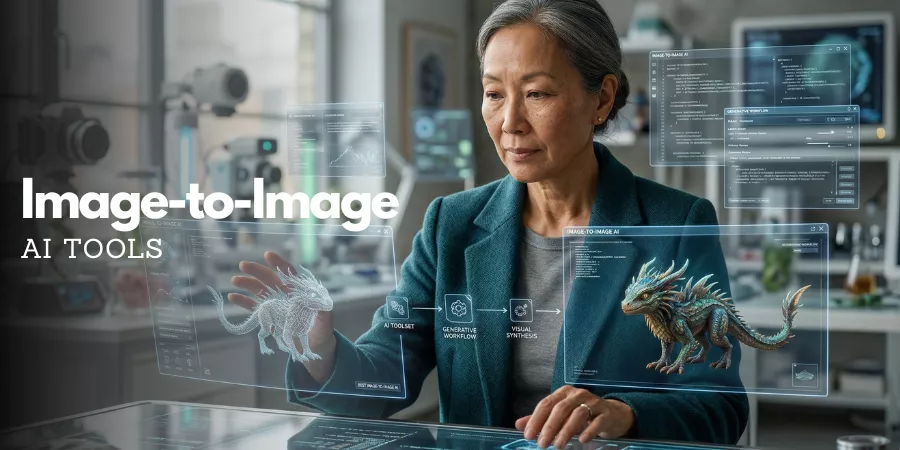
Image-to-image AI tools work by taking a photo you already have and transforming it based on a description or a style reference. They’re different from text-to-image tools, which generate from scratch.
The whole point is that your original image anchors the output, composition, subject, structure stay recognizable while something about the style, lighting, background, or specific details changes.
When they’re tuned well for the job, they save hours. When they’re not, they fight you every step.
Here’s what that looks like in practice. A product photographer using FLUX.1 Pro via API generates 12 lifestyle backgrounds for the same product shot in about eight minutes. Each one has accurate lighting, correct reflections, and no phantom objects. An agency designer on Midjourney V7 uploads a rough concept sketch and gets back a polished campaign visual in four iterations. A social media manager on Canva AI removes a cluttered background, drops in a branded color, and exports to Instagram sizing, start to finish in under ten minutes, no Photoshop open.
Three different tools, 3 different jobs, 3 different outcomes. That’s the form of this comparison.
Below are the 10 best image-to-image AI tools in 2026. Each entry covers what the tool is genuinely good at, who it’s built for, what it costs, and when it’s worth paying for the upgrade.
Which Image-to-Image AI Tool is Best in 2026? (Quick Answer)
- Midjourney V7: Best overall for artistic quality and style transfers
- Adobe Firefly: Best for commercial work where copyright matters
- GPT Image 1.5 (ChatGPT): Best for beginners and conversational editing
- Leonardo AI: Best for pros who need brand-consistent outputs at scale
- Stable Diffusion 3.5: Best free option for developers wanting full local control
- Ideogram 2.0: Best for readable text inside AI-generated images
- Canva AI: Best for marketers and non-designers on tight timelines
- Runway Gen-3: Best for studios working across image and video
- Playground AI: Best free tool for high-volume experimentation
- 1 Pro: Best for photorealistic product photography and e-commerce
Side-by-Side Comparison: 10 Best Image-to-Image AI Tools 2026
| Tool | Best For | Free Plan? | Paid From | Ease of Use | Top Strength |
| Midjourney V7 | Designers, artists | No | $10/mo | ★★★★ | Artistic quality |
| Adobe Firefly | Commercial/brand work | Yes (limited) | $10/mo | ★★★★★ | Copyright safety |
| GPT Image 1.5 | Beginners, casual use | Yes (limited) | $20/mo | ★★★★★ | Ease of use |
| Leonardo AI | Pros, brands, studios | Yes (150/day) | $12/mo | ★★★★ | Consistency + control |
| Stable Diffusion 3.5 | Devs, technical users | Yes (self-hosted) | Free | ★★ | Full local control |
| Ideogram 2.0 | Posters, text-in-image | Yes | $8/mo | ★★★★ | Text rendering |
| Canva AI | Marketers, non-designers | Yes | $13/mo | ★★★★★ | Workflow speed |
| Runway Gen-3 | Studios, image + video | Yes (limited) | $15/mo | ★★★★ | Image-to-video |
| Playground AI | Beginners, high volume | Yes (500/day) | $10/mo | ★★★★ | Free image volume |
| FLUX.1 Pro | E-comm, photorealism | Via platforms | ~$0.04/img | ★★★ | Photorealism |
1. Midjourney V7: Still the Best Image-to-Image AI Tool for Designers?
Best for: Designers, illustrators, and creative teams who care deeply about visual quality.
The short answer is yes. And the longer answer requires a bit of context.
Midjourney V7 launched in April 2025 and quietly became the default model in June. The jump from V6 is more meaningful than the version number suggests. Hands, historically one of AI’s most humiliating failure points, are dramatically better. Lighting reads more naturally. Complex, detailed prompts land closer to the intention, which sounds like a small thing until you’ve spent 20 minutes describing something and gotten back a single element of it.
The image-to-image workflow centers on two features: Vary and Remix. You upload an image, describe the change you want, and Midjourney reinterprets it while holding the original composition together.
Style, mood, and lighting can all shift without the underlying structure falling apart. Fashion designers use this for quick fabric visualization without samples. Advertising agencies use it to pull 12 campaign variations from a single product photo before the creative review.
The r/midjourney community, 680,000 members and growing, consistently points to the Standard plan at $30/month as the sensible choice for anyone generating images regularly. After 15 Fast GPU hours, unlimited Relax Mode kicks in and the credit anxiety disappears.
Key features: Style transfer, Vary, Remix, Draft Mode, aspect ratio control, V7 model with improved prompt fidelity.
Real use case: A creative agency takes one hero product photo and generates 12 A/B testing variants for paid social, the kind of work that used to mean briefing a designer for a full afternoon.
Pros:
- Best artistic output of any tool on this list, and it’s not particularly close
- A community of 680,000 means shared workflows, prompts, and real troubleshooting
- V7 handles layered, multi-element prompts reliably
Cons:
- No free plan, the entry point is $10/month
- Text inside images is still hit-or-miss
- Some features still route through Discord, which not everyone wants to deal with
Pricing: Basic at $10/month (200 generations). Standard at $30/month for daily users who want unlimited Relax Mode after Fast hours run out.
Verdict: If visual quality is the first thing you’re optimizing for, Midjourney V7 is the answer. For designers and agencies, the Standard plan is worth it.
2. Adobe Firefly: The Safest Image-to-Image AI Tool for Commercial Work
Best for: Marketing teams, brand designers, and any business where a lawyer might eventually review the assets.
The thing about Firefly is that it doesn’t get enough attention: its competitive advantage has nothing to do with how the images look. It’s about where the training data came from.
- Firefly was built exclusively on licensed Adobe Stock content. That means every image it generates is cleared for commercial use, no gray area, no legal footnotes, no wondering whether a competitor’s work ended up in the training set.
- For enterprise clients, regulated industries, or any project that goes through legal review before it goes live, that distinction matters more than output style.
In practice, Generative Fill in Photoshop is where Firefly actually earns its place. Select a region of a photo, describe what you want in that space, and Firefly fills it while matching the surrounding light, color temperature, and depth of field.
The seams are invisible when it works well, and it works well most of the time. Generative Expand does the opposite: stretch any photo’s borders in any direction and Firefly builds out the background. A tight product shot becomes a full lifestyle scene without booking a reshoot.
Firefly Image 3 is the current model, and it now integrates Google’s Gemini Flash Image as a partner. If you’re already paying for Creative Cloud, credits come bundled with your existing subscription.
Key features: Generative Fill, Generative Expand, Structure Reference, Generative Recolor, Text Effects, full integration with Photoshop and Illustrator.
Real use case: An e-commerce team swaps backgrounds and corrects lighting across 300 product images in a single session, a day’s work that used to require a photographer.
Pros:
- Best commercial licensing of any tool on this list, fully cleared for paid work
- Generative Fill is genuinely excellent for precise, context-aware photo editing
- Lives inside Photoshop, so there’s no new tool to onboard your team to
Cons:
- Artistically conservative, fantasy, stylized, or experimental requests fall flat
- The standalone Firefly app is limited compared to the Photoshop-integrated version
- Full capability requires a Creative Cloud subscription
Pricing: 25 free credits per month. Firefly Standard at $10/month (2,000 credits). Included with Creative Cloud.
Verdict: The responsible choice for commercial work. If your assets touch a legal review process, Firefly is the only tool on this list that removes the copyright guesswork entirely.
3. GPT Image 1.5 (ChatGPT): The Easiest Image-to-Image AI Tool for Beginners
Best for: Beginners, solo creators, and anyone already using ChatGPT who wants image editing without learning a new tool.
OpenAI retired the DALL-E 3 API in May 2026. GPT Image 1.5 is now what you get when you use image generation through ChatGPT Plus. The model is solid. But the reason to recommend it for beginners is not the model, it’s the interface wrapped around it.
You don’t write a prompt. You have a conversation. Say “make the background a rainy Tokyo street at night,” then follow up with “keep the product exactly the same, just add neon reflections on the pavement.”
ChatGPT holds the context from the previous message and applies the edit incrementally. For someone who has never written an AI prompt before, this conversational loop cuts through almost all of the friction that makes other tools feel intimidating.
Text rendering is also noticeably stronger. Readable captions, watermarks, and short ad copy inside generated images, things that were genuinely unreliable two years ago, land accurately most of the time now.
Key features: Conversational image editing, built-in prompt refinement, strong text rendering, image upload for style reference, multi-step iterative edits.
Real use case: A small business owner generates five seasonal social media variations from a single product photo every week. Fifteen minutes. No design background needed.
Pros:
- The lowest learning curve on this entire list, intentionally so
- ChatGPT interprets and refines vague requests without making you rewrite the prompt
- Text inside images is readable and well-placed
Cons:
- Less creative control than Midjourney or Leonardo AI
- Free access is limited, regular use requires ChatGPT Plus
- Photorealism lags behind FLUX.1 Pro
Pricing: Limited free access. ChatGPT Plus at $20/month covers image generation alongside all other Plus features.
Verdict: The obvious starting point for anyone new to AI image tools. If you already pay for ChatGPT Plus, try this before signing up for anything else.
- Leonardo AI: Best Image-to-Image AI Tool for Professional Creative Control
Best for: Game developers, e-commerce brands, agencies, and creative teams building large asset libraries that need to stay visually consistent.
Leonardo AI has 60 million registered users and more than 2 billion total generations on the platform. Those numbers reflect genuine utility, not hype. It sits in the middle of the market, more artistic control than Adobe Firefly, more approachable than Stable Diffusion, more flexible than Midjourney.
The image-to-image feature is where Leonardo separates itself. You upload a reference image and use an influence slider to decide how tightly the output should follow it. Dial it down for loose stylistic inspiration.
Turn it up to maintain near-exact structure while changing surface details. Custom LoRA training takes this further, uploading 15 to 20 reference images, training a model, and every subsequent generation inherits that visual language. Game studios use this for character asset libraries. Brands use it to ensure that AI-generated marketing images don’t drift from the established visual identity over time.
The free plan is also genuinely usable. 150 daily tokens cover real experimentation, not just enough to see the interface before hitting a wall.
Key features: Image-to-image with influence slider, custom LoRA model training, Live Canvas real-time editing, access to multiple models (FLUX, Phoenix, Lucid Origin), video generation via Motion.
Real use case: A game studio trains a custom LoRA on 20 character references and generates hundreds of consistent assets across different poses and lighting conditions, without additional illustrators on the budget.
Pros:
- Most granular creative control on this list
- Free plan with 150 daily tokens is actually workable, not just decorative
- Custom LoRA training makes brand and style consistency reproducible
- Image and video generation in one place
Cons:
- The token system takes time to understand and can feel arbitrary at first
- Feature-heavy interface is genuinely overwhelming for new users
- Free tokens run out faster than the number suggests
Pricing: Free plan (150 daily tokens). Paid plans from $12/month. Artisan at $24/month annually is the right tier for most professional teams.
Verdict: The strongest all-around image-to-image AI tool for professional creators. If visual consistency across a large project is non-negotiable, this is the one.
5. Stable Diffusion 3.5: Best Free Image-to-Image AI Tool for Technical Users
Best for: Developers, researchers, and technically capable users who want unlimited control without a subscription.
Stable Diffusion is the only tool on this list that costs nothing, limits nothing, and watermarks nothing. You run it locally on your own hardware. Images never leave your machine. There’s no credit system, no monthly invoice, and no version of the tool deciding what you’re allowed to generate.
The image-to-image ecosystem built around it is genuinely deep. Inpainting handles targeted edits inside a specific region without affecting the rest of the image. Outpainting expands the canvas in any direction. ControlNet is particularly powerful, it uses an existing image as a composition skeleton and generates a new image that follows the same structure. Thousands of community fine-tuned models on CivitAI add styles and subjects that no paid platform touches.
The tradeoff is real and worth stating plainly: set aside several hours to get the setup working before expecting anything usable. RTX 3060 is the minimum GPU for SD 3.5; 16GB VRAM makes the experience considerably smoother.
Key features: Image-to-image, inpainting, outpainting, ControlNet, community models via CivitAI, no watermarks, full local data privacy, SDXL and SD 3.5 support.
Real use case: A product photographer batch-replaces backgrounds across 400 images locally, at zero per-image cost, with complete client data privacy.
Pros:
- Completely free – unlimited generations, no watermarks, no subscription
- Thousands of specialized community-built models for niche styles
- Fully local – complete privacy for sensitive commercial projects
Cons:
- Setup takes real time and technical patience
- Requires capable hardware, RTX 3060 minimum, 16GB VRAM recommended
- No official support, community forums fill the gap, but it’s slower
Pricing: Free (self-hosted). Cloud access available via various platforms at low per-image cost.
Verdict: The best free image-to-image AI tool for users with the technical knowledge and hardware to unlock what it offers. For everyone else, Leonardo AI’s free plan is the easier path.
6. Ideogram 2.0: The Best AI Tool for Readable Text Inside Images
Best for: Graphic designers, print-on-demand sellers, social media marketers, and anyone whose designs require accurate typography.
Text inside AI-generated images was broken for a long time. Garbled words, scrambled letters, fonts that looked like they were placed by someone who had never seen written language, it was one of the most reliable ways to spot an AI image at a glance. Ideogram 2.0 did more to fix this than any other tool.
Other tools have improved. GPT Image 1.5 handles basic text reliably. But Ideogram still renders the most accurate, cleanly spaced, and stylistically integrated text of anything currently available. The typography feels designed into the image rather than dropped on top.
The image-to-image features support this well. Upload a design and Ideogram regenerates it with adjusted typography, colors, or visual treatment while keeping the original layout. The Describe feature generates a detailed prompt from any uploaded image, which makes it easier to recreate a visual style you’ve found somewhere. Magic Prompt expands short descriptions into detailed ones automatically.
Key features: Industry-leading text rendering, style transfer, Magic Prompt expansion, Describe tool, poster and brand asset generation.
Real use case: A print-on-demand seller generates 60 T-shirt designs with accurate, stylized slogans per drop, saving 3 to 4 days of manual design work per collection.
Pros:
- Best text rendering accuracy of any AI image tool available in 2026
- Clean style transfer for posters, merchandise, ads, and social content
- Generous free tier for genuine testing before committing
Cons:
- Narrower feature set than general-purpose generators
- Complex photorealistic photo editing is not where this tool is strong
Pricing: Free plan available. Paid plans from $8/month.
Verdict: If text needs to live inside your images, ads, merchandise, event posters, social graphics, Ideogram 2.0 is the clearest choice on this list.
7. Canva AI: Best Image-to-Image AI Tool for Marketers and Non-Designers
Best for: Social media managers, small business owners, marketing teams, and anyone producing visual content without a design background.
Canva AI doesn’t ask you to understand how any of this works. That’s the point.
Magic Edit selects an object in a photo and replaces it based on a text description. Magic Eraser removes unwanted elements with a single click. Background Remover is one button. None of this requires knowledge of layers, masks, blend modes, or any of the other things that make traditional photo editing feel like a barrier.
What Canva does better than any dedicated AI image tool is keep everything in one place. The AI-edited image goes straight into a template, one of 420,000, and the finished post, slide, or ad is ready to export in the same session. For a marketing team producing content across Instagram, LinkedIn, and Pinterest simultaneously, the time savings from that compression add up over a week.
Canva also integrates FLUX and Stable Diffusion variants under the hood, giving users different generation styles without requiring them to know the difference.
Key features: Magic Edit, Magic Eraser, Background Remover and Generator, brand kit integration, AI image generation, 420,000+ templates, direct export to social platforms.
Real use case: A social media manager edits weekly product photos, applies branded templates, and exports 18 post variations for three platforms, under 45 minutes, never leaving a single tool.
Pros:
- Zero learning curve, accessible to any non-designer on the team
- AI editing and template production in one place, no tool-switching
- Best choice on this list for pure content production volume
Cons:
- Less creative depth than dedicated image generators
- Complex, context-aware edits don’t match Firefly’s precision
Pricing: Free plan available. Canva Pro at $13/month unlocks full AI feature access.
Verdict: The right tool for marketing teams and business owners who need speed and volume over creative depth.
8. Runway Gen-3: Best for Studios Working Across Image and Video
Best for: Video creators, filmmakers, creative agencies, and studios whose work spans both static images and motion.
Runway Gen-3 exists at an intersection that most tools don’t bother occupying: image editing and video generation in the same workflow. Gen-3 animates still images, transfers styles across video frames, and generates short footage from image references.
The image-side features are solid. Inpainting, style transfer, and background replacement work well. But Motion Brush is the standout: you paint directly onto an image to define which parts should move. A product on a shelf gets a slow cinematic push. Clouds drift across a background while the subject stays still.
That level of selective animation control is uncommon at this price point. Advertising teams have noticed, a still from a brand photoshoot becomes a 6-second video ad without scheduling a video production.
Key features: Image-to-video animation, Motion Brush for selective animation, style transfer across frames, inpainting, Gen-3 model, multi-format content workflow.
Real use case: An ad agency converts 20 product stills into animated video ads, delivering motion creative to a client without the cost of a video shoot.
Pros:
- Best image-to-video capability on this list by a clear margin
- Motion Brush for selective animation is a genuinely useful and uncommon feature
- Image editing tools are solid enough for everyday production work
Cons:
- Overkill if you only need static image editing
- Credit costs scale quickly for high-volume video output
Pricing: Free plan with limited credits. Standard plan at $15/month.
Verdict: The right call for studios that move between image and video regularly. For static image work only, a more specialized tool from this list will serve better.
9. Playground AI: Which Free Image-to-Image AI Tool Has the Most Generous Limits?
Best for: Beginners, students, and anyone who wants to experiment extensively before spending anything.
Five hundred free image generations per day. Most paid plans on this list give you 200 to 400 per month. Playground gives you 500 per day.
The volume is the point. Learning how image-to-image AI tools work requires running a lot of experiments, the same prompt across different styles, small parameter changes that produce dramatically different outputs, prompt phrasing that succeeds once and fails the next time. Playground lets you do all of that without a credit meter counting down. For anyone in the early stages of figuring out what these tools can do, that freedom matters.
The multi-model interface adds flexibility. Stable Diffusion variants and Playground’s own custom models are accessible without separate logins or onboarding. When one model produces artifacts, switching takes seconds. The image-to-image feature includes a strength slider, enough control to be useful without becoming overwhelming.
Key features: 500 free daily generations, multi-model switching, image-to-image with strength slider, inpainting, Canvas mode for multi-image compositions.
Real use case: A design student runs 250+ image variations across two weeks for a portfolio project, developing real prompting intuition at zero cost.
Pros:
- 500 images per day on the free plan, most generous free tier on this list
- Multi-model switching without switching tools or accounts
- Ideal sandbox for building prompting judgment before committing to paid
Cons:
- Free images are public by default
- Quality ceiling is lower than Midjourney or Leonardo AI
- Token system gets confusing when moving into premium features
Pricing: Free (500 images/day, public). Paid plans from $10/month for private generations and faster processing.
Verdict: The best free AI image generator for anyone just starting out. Use it to develop real workflow habits before choosing a paid tool.
10. FLUX.1 Pro: Best Image-to-Image AI Tool for Photorealistic Product Photos
Best for: E-commerce brands, product photographers, advertising teams, and developers integrating image generation into applications.
FLUX.1 Pro comes from Black Forest Labs, the team that built Stable Diffusion. FLUX 1.1 Pro generates images in 4.5 seconds and consistently tops quality comparisons with every other leading model. The gap is most visible in product photography: lighting physics that read as real, material reflections that hold up under scrutiny, surface textures that don’t degrade into noise at close inspection.
The Kontext model handles precise image-to-image editing. Change a car’s color in a street scene and only the car changes, the shadows it casts, the reflections in surrounding surfaces, the environmental context all stay intact.
Most competing models regenerate significant portions of the surrounding scene, introducing subtle inconsistencies that experienced eyes catch. For e-commerce and advertising work, that precision is a meaningful differentiator.
The friction is real: there’s no FLUX website. You access the model through platforms like NightCafe, Tensor.Art, or Replicate, or via API at around $0.04 per image. Developers building image generation into a product will find the API is the most capable option on the market right now.
Key features: Best-in-class photorealism, Kontext model for precision element editing, accurate lighting and texture rendering, 4.5-second generation time, API access, pay-per-image pricing.
Real use case: An e-commerce brand uses FLUX via API to generate product lifestyle images across 12 different settings and seasons, cutting photoshoot frequency significantly.
Pros:
- Highest photorealism of any model on this list
- Kontext model isolates specific elements without disturbing surrounding context
- Pay-per-image API pricing scales to any volume without a subscription
Cons:
- No dedicated website, requires a third-party platform or API setup
- API integration requires technical knowledge
- Pricing varies by platform
Pricing: Via platforms or API. Standard quality at approximately $0.04 per image.
Verdict: The highest quality ceiling on this list for photorealistic commercial work. Worth the setup friction for e-commerce and advertising teams where product accuracy drives real outcomes.
How to Choose the Right Image-to-Image AI Tool for Your Workflow
For Beginners
GPT Image 1.5 through ChatGPT is the lowest-friction starting point, no new tool to learn, no prompt syntax to memorize. If you want more room to experiment without spending anything, Playground AI gives you 500 free daily generations. Once past the basics, Leonardo AI’s free plan (150 daily tokens) is the most feature-rich free option before committing to a paid tier.
For Designers and Creative Professionals
Midjourney V7 for artistic, style-heavy output. Leonardo AI when custom model training and visual consistency across a large project matter more than individual image quality. Adobe Firefly when you’re already in Photoshop and need precise edits inside existing photos.
For Marketers and Content Teams
Canva AI when the team includes non-designers and production speed is the priority. Ideogram 2.0 when text needs to live inside images, social ads, event posters, product designs. Neither requires a steep learning curve.
For E-Commerce Brands
Adobe Firefly for background swaps and product variations where commercial licensing needs to be airtight. FLUX.1 Pro when photorealism is the first requirement and API access is available. Leonardo AI for building and maintaining consistent visual identity across a large product catalog.
Photorealistic Edits vs. Artistic Style Transfers
Photorealism: FLUX.1 Pro leads, followed by Adobe Firefly and Leonardo Phoenix. Artistic transformation: Midjourney V7 is the strongest choice. Text accuracy inside images: Ideogram 2.0 wins by a significant margin over everything else on this list.
5 Key Trends Forming Image-to-Image AI Tools in 2026
Prompt Accuracy Has Gotten Meaningfully Better
A year ago, writing a detailed prompt was a gamble, the model would pick up parts of it and quietly ignore the rest. Midjourney V7 and Leonardo Phoenix handle multi-element prompts with noticeably better fidelity now. GPT Image 1.5’s conversational interface turns prompt-writing into a dialogue, which helps users who don’t know how to construct prompts from scratch.
Real-Time Editing Is Replacing One-Shot Generation
The old workflow: write a prompt, generate, hope, repeat. The new one: select a region, describe the change, see the result in seconds, adjust. Leonardo AI’s Live Canvas and Firefly’s Generative Fill both operate this way. It mirrors how designers actually work, iteratively, with small corrections.
One Subscription, Multiple Models
Leonardo AI, Adobe Firefly, and Canva AI now bundle multiple underlying models under one subscription. Different models perform better at different tasks, and switching without managing separate accounts reduces friction meaningfully.
Text Inside AI Images Is Finally Reliable
Ideogram pushed this forward first. In 2026, GPT Image 1.5 and Leonardo Phoenix handle basic typography accurately for most use cases. Readable text inside a generated image is becoming a baseline expectation, not a distinguishing feature.
Commercial Licensing Has Become a Real Decision Factor
Adobe Firefly’s fully licensed training data raised an industry standard that other platforms are now actively meeting. Midjourney, Leonardo AI, and Ideogram all offer commercial rights on paid plans. As legal scrutiny of AI-generated content increases in the US, businesses are choosing tools with verifiable terms.
Are Paid AI Image Plans Worth It in 2026?
Free plans are genuinely useful for learning and low-volume work. The walls appear when you need private image storage, Playground AI’s free outputs are public by default, commercial licensing, higher resolution, faster generation, or models not available on free tiers.
Three plans stand out in value right now: Ideogram at $8/month for text-heavy design work; Leonardo AI at $12/month for the best overall feature-to-price ratio; Midjourney Standard at $30/month for daily users who need consistent artistic quality.
Frequently Asked Questions
What are image-to-image AI tools and how do they work?
Image-to-image AI tools take an existing photo or illustration as input and transform it using a text description or style reference. They preserve structural elements from the original, composition, subject position, layout, while changing style, lighting, mood, or specific regions. That makes them far more practical for professional workflows where you’re refining something that already exists rather than generating from nothing.
What is the best AI image generator in 2026?
For artistic quality: Midjourney V7. For photorealism: FLUX.1 Pro. For commercial licensing safety: Adobe Firefly. For text inside images: Ideogram 2.0. The right answer depends on what you’re making and who the output is for.
Which AI model performs best for image generation in 2026?
FLUX 1.1 Pro leads for raw technical image quality and photorealism with a 4.5-second generation time. Midjourney V7 leads for artistic and aesthetic output. GPT Image 1.5 leads for ease of use and prompt adherence. Adobe Firefly Image 3 is best for commercial-safe, workflow-integrated editing.
What is the best AI photo editor in 2026?
Adobe Firefly integrated with Photoshop for professional and commercial work. Canva AI (Magic Studio) for marketers and non-designers. For precise, element-specific transformations, FLUX.1 Pro via the Kontext model and Leonardo AI offer the most accurate results.
Are there good free image-to-image AI tools in 2026?
Yes. Playground AI offers 500 free images daily. Leonardo AI provides 150 daily tokens. Ideogram has a functional free plan. Stable Diffusion 3.5 is completely free if self-hosted on capable hardware. GPT Image 1.5 offers limited free access through ChatGPT. Free tiers typically mean public image storage and slower speeds, but they’re sufficient for learning and experimentation.
Which AI tool gives the most realistic results?
FLUX.1 Pro is the most photorealistic in 2026, particularly for product photography. FLUX 1.1 Pro maintains that quality at a 4.5-second generation time. Adobe Firefly and Leonardo Phoenix are strong for realistic edits within existing photos.
Can I use AI-generated images for commercial purposes?
Depends on the tool and plan. Adobe Firefly allows commercial use across all tiers, its training data is fully licensed. Midjourney, Leonardo AI, and Ideogram paid plans include commercial rights. GPT Image 1.5 via ChatGPT Plus permits commercial use. Most free tiers restrict it. Always verify commercial terms before using AI images in client work, ads, or product listings.
Which free AI tool is best for image generation?
Playground AI (500 images/day), Leonardo AI (150 tokens/day), and Ideogram (free plan) are the strongest free options for most users. Stable Diffusion 3.5 is completely free with no watermarks if self-hosted, best for technical users who want unlimited generations without ever paying.
Which Image-to-Image AI Tool Should You Use? Final Verdict.
Most people reading this need one of three tools, depending on where they sit in their work.
Marketers and content teams: Canva AI for everyday content production. Ideogram 2.0 when text needs to appear inside your images. Both are fast, non-designers can use them without training, and they fit existing workflows without friction.
Designers and creative professionals: Midjourney V7 for artistic quality and style-heavy work. Leonardo AI when brand consistency and custom model training are the priority. Adobe Firefly when commercial licensing needs to be airtight and you’re already in the Adobe ecosystem.
Beginners: GPT Image 1.5 through ChatGPT for the lowest-friction entry. Playground AI for the most free generations to experiment with. Leonardo AI’s free plan for the deepest feature set before paying anything.
The best image-to-image AI tools in 2026 produce results that would have taken a professional photographer or designer hours to create two years ago. The technology stopped being the barrier a while back. The remaining question is just which tool belongs in your workflow.