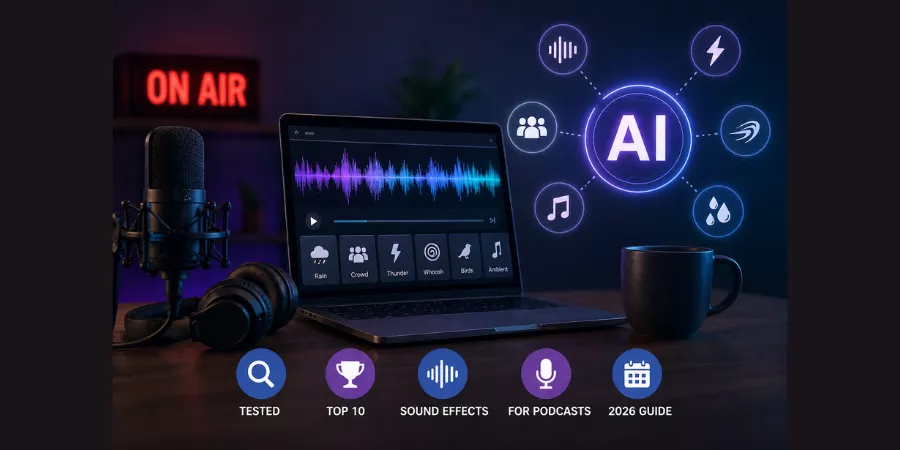
Roughly 79% of people say audio quality determines whether they continue listening to a podcast episode, according to Acast. And yet most creators spend hours digging through stock sound libraries, only to find something that sounds like every other show on Spotify.
Stock libraries are repetitive. Custom sound design takes time most creators do not have. And free YouTube audio packs get reused so many times they feel generic the moment a listener hears them.
AI sound effect generators solve this cleanly. You describe what you need in plain language, the tool generates it in seconds, and you drop it straight into your edit.
5 things to know before you scroll:
- ElevenLabs generates the most realistic custom SFX from text prompts in 2026.
- Adobe Firefly is the safest option for commercial and monetized podcasts.
- Stable Audio handles long ambient soundscapes better than any other tool.
- Wondercraft is the only platform built specifically for podcast production start to finish.
- Most AI audio tools have a free tier, you can test before spending anything.
This guide covers the 10 best AI sound effect generators for podcasts this year, with real use cases, pricing, and a straight recommendation at the end.
How AI Sound Effect Generators Work?
Type a description. Get audio. That is the basic idea.
Under the hood, these tools use generative audio models, similar to how image AI works but trained on sound. You write something like “soft rain on a window, calm, nighttime” and the model synthesizes a new audio clip that matches that description.
For podcasters, this means three real advantages:
- Speed: Generate ten variations of a transition sound in the time it takes to scroll through a stock library.
- Originality: Your audio does not sound like every other creator using the same free pack.
- Control: Specific prompts give specific results, so you can shape the mood precisely.
The main difference between tools comes down to how realistic the output is, how much control the prompt gives you, and whether commercial use is clearly licensed.
Below are the Top 10 AI Sound Effect Generators for Podcasts (2026)
1. ElevenLabs: Best Overall for Realistic AI SFX
What is ElevenLabs?
ElevenLabs is an AI sound effect generator that converts text prompts into realistic, layered audio clips. It is widely used for podcast ambient sound and scene-setting audio.
Best for: Podcasters who need realistic, custom-generated sound effects from text descriptions
When we first tested ElevenLabs for SFX, fully expecting it to feel like a voice tool awkwardly moonlighting as an audio generator, the output genuinely surprised us. We typed “quiet residential street at night, distant dog bark, light wind” and got something that sounded pulled from a field recording. Not perfect, but close enough to use under narration without it pulling attention.
The thing that separates ElevenLabs from most competitors is texture. Other tools often produce audio that sounds “right” in isolation but thin when placed under a voice track. ElevenLabs audio tends to have more natural layering, which means it sits better in a mix without needing heavy EQ work to stop it competing with your host.
One honest limitation: we noticed the rhythm of certain sounds, footsteps, door knocks, movement audio, can feel slightly off, like the timing between sounds is too regular. It works fine for ambient backgrounds. For Foley-style audio, manage your expectations.
Key features:
- Text-to-sound-effect generation with strong prompt understanding
- Natural, layered audio textures that sit well under voice tracks
- Works inside the same platform as ElevenLabs voice tools
- Royalty-free MP3 downloads
Pricing: Free tier available. Paid plans from around $5/month.
| Pros | Cons |
| Realistic and layered output | Rhythm can feel mechanical on movement sounds |
| Fast generation, usually under 10 seconds | Slower during peak usage hours |
| Prompt understanding is genuinely good | Free tier limits monthly downloads |
Our honest take: Start here. It handles 80% of what a podcast editor needs, room tone, atmosphere, transitions, better than anything else at this price point. Just do not use it for walking sounds or door slams and expect perfection.
2. Adobe Firefly Sound Effects: Best for Commercial Licensing
What is Adobe Firefly?
Adobe Firefly is an AI audio generation tool trained on licensed content that produces commercially cleared sound effects from text prompts or uploaded audio references.
Best for: Monetized podcasts, branded shows, and anyone publishing on YouTube with ads enabled
We tested Adobe Firefly alongside ElevenLabs for the same prompts, and the output quality is close, sometimes slightly behind, sometimes better depending on the sound type. What Firefly does differently is give you zero ambiguity on commercial rights. Every file is generated from licensed training data, which means no content ID claim risk on YouTube, no licensing audit issues with sponsors, nothing.
The audio prompting feature is the one that kept surprising us in use. We had a segment intro sound we liked but it was recorded poorly, low bit rate, background hiss. We uploaded it as a reference and Firefly generated a cleaner version that matched the character of the original. That kind of workflow shortcut saves real time.
The weak point: Complex, layered cinematic sounds. We tried generating a building tension riser for a news segment and the output was too simple, almost like it interpreted the prompt conservatively. For that kind of audio, ElevenLabs or Stable Audio handled it better.
Key features:
- Text prompt AND audio reference input, upload a rough sound and get a polished version back.
- Direct timeline integration inside Adobe Premiere and Audition.
- WAV and MP4 export.
- Commercially cleared at the model level, not just the license agreement.
Pricing: Included with Creative Cloud. Standalone Firefly access available separately.
| Pros | Cons |
| Strongest commercial licensing clarity of any tool tested | Cost is high if you do not already pay for Creative Cloud |
| Audio prompting works as advertised | Struggles with cinematic SFX like impacts and risers |
| Integrates directly into Adobe editing timeline | Less useful outside the Adobe ecosystem |
Our honest take: If your podcast runs pre-roll ads or has a brand sponsor, Firefly pays for itself in peace of mind alone. The audio prompting feature is the most creative tool in this entire list, we kept finding new uses for it every session.
3. Stable Audio: Best for Long Ambient Soundscapes
What is Stable Audio?
Stable Audio is an AI sound generator that produces long-form ambient audio up to three minutes per clip, designed for atmospheric and background audio in storytelling content.
Best for: Narrative, documentary, and storytelling podcasts that need extended background audio, not just short clips
The first thing we noticed when testing Stable Audio was the clip length. Every other tool on this list caps output somewhere between 10 and 45 seconds. Stable Audio gives you up to three minutes per generation. For a podcast editor, that changes the entire workflow, one file under a whole segment instead of four stitched clips with awkward loop points.
We ran a test prompt: “overcast winter morning, slow dripping water, distant city traffic, low atmospheric hum, melancholy tone.” The first result was close but too busy. The second attempt, the same prompt with “reduce traffic volume, more interior feel” added, was something we would have been happy to pay for on a stock site.
The honest limitation: It is that Stable Audio rewards patience. Short punchy sounds, a notification chime, a quick transition whoosh, are not its strength. We tried several times and the output felt too rounded, too gradual for anything that needed to be crisp.
Key features:
- Generates audio up to 3 minutes per clip
- Strong mood and texture control via prompt
- Good at loopable atmospheric tracks, start and end points blend naturally
- Browser-based, no installation needed
Pricing: Free tier with limited exports. Pro plan around $12/month.
| Pros | Cons |
| Three-minute clips – the longest output of any tool tested | Not designed for short, punchy SFX |
| Nuanced mood control – “melancholy” and “tense” actually register differently | Sometimes takes 2–3 prompt iterations to land the right feel |
| Output loops cleanly – no jarring restart points | Slower generation time than ElevenLabs or Firefly |
Our honest take: If you produce storytelling or narrative podcasts and spend time stitching ambient loops together, Stable Audio removes that problem entirely. It is slower and requires more prompt refinement, but the payoff is audio you actually want to use.
4. Soundraw: Best for Building an Audio Brand
What is Soundraw?
Soundraw is an AI music and sound effect platform that lets creators generate royalty-free background music and transition audio in a consistent tonal style.
Best for: Podcasters who want their intro music, transition stingers, and background audio to feel like a coherent set, not a collection of random downloaded files
We came into Soundraw expecting a music generator with a few SFX bolted on. What we found was more useful than that for podcast purposes specifically. The ability to generate music and short SFX moments in the same tonal language, same mood settings, same genre palette, means your audio identity stays consistent across episodes without hiring a sound designer.
The interface takes about 20 minutes to figure out, then becomes genuinely fast to work with. We built a full set of podcast audio assets in one session: 60-second intro track, 10-second outro version, three transition stingers at different energy levels. All matched in feel.
The realistic limitation: Soundraw is a music-first tool. When we tested it for environmental ambient sounds, rain, café noise, outdoor atmosphere, the output was noticeably weaker than ElevenLabs or Stable Audio. It felt more like music-influenced texture than recorded-world atmosphere.
Key features:
- AI music and SFX generation in one platform
- Customizable by tempo, mood, genre, and length
- Real-time previewing before download
- Royalty-free for commercial podcast use
- Browser-based, no software to install
Pricing: Free tier available. Paid plans from $16.99/month.
| Pros | Cons |
| Best tool for building a consistent audio brand across all podcast elements | Significantly weaker for environmental/ambient sounds |
| Music and SFX share the same tonal settings – everything sounds like it belongs together | More expensive than ElevenLabs for what you get |
| Interface becomes fast once you know it | Free tier is more limited than competitors |
Our honest take: If audio branding matters to your show, you want a recognizable sound, not just background noise, Soundraw is worth it. If you mainly need ambient atmosphere or realistic environmental sounds, use something else.
5. Kling AI: Best for Video Podcasters Already in the Ecosystem
What is Kling AI?
Kling AI is a video and audio generation platform with a built-in AI sound effect tool, primarily used by video podcasters and YouTubers within a single workflow.
Best for: Video podcast creators and YouTubers already using Kling for video generation who want SFX without a separate subscription
We were skeptical about Kling’s SFX feature going in. Video tools adding audio generation often feel like afterthoughts. Kling’s implementation surprised us, mainly because of the speed. It generated results faster than any other tool we tested, and the output quality for transitions and short ambient sounds was solid.
The practical advantage is workflow. If you already open Kling to generate b-roll or video clips for your podcast, the SFX tool is right there. We used it to generate matching transition sounds while working on a video segment, the kind of quick grab that usually sends you to a separate browser tab and costs ten minutes.
Where it falls short: Standalone audio export options are limited compared to dedicated tools. If you only produce audio podcasts with no video component, there is very little reason to use Kling over ElevenLabs. The value proposition is entirely about workflow integration.
Key features:
- SFX generation inside an existing video and audio workflow
- Fast generation, consistently the quickest in our tests
- Good for transitions, scene-setting audio, and short ambient sounds
- Included in the Kling subscription
Pricing: Part of Kling subscription, plans from around $8/month.
| Pros | Cons |
| Fastest generation speed of any tool tested | Little reason to use it if you do not already use Kling |
| Genuine workflow convenience for video podcasters | Fewer standalone export options than dedicated audio tools |
| Good transition and ambient sound quality | Not ideal for long-form ambient audio |
Our honest take: Do not subscribe to Kling just for the SFX feature. But if you already pay for it, the audio tool is more capable than we expected and saves real time during video podcast editing.
6. Wondercraft: Best for First-Time Podcast Creators
What is Wondercraft?
Wondercraft is an AI podcast production platform that combines script generation, voice synthesis, background music, and sound effects inside one browser-based timeline editor.
Best for: Solo creators launching their first podcast who want voice, music, and sound effects without learning three separate tools
We handed Wondercraft to someone who had never edited a podcast before and asked them to produce a finished episode. They had a listenable, reasonably produced episode ready in about two hours. That alone says more than any feature list.
The timeline editor is intuitive in a way most audio tools are not. You can see your voice track, music track, and SFX layer all at once, and dragging sounds into position feels genuinely simple.
The AI SFX generator inside Wondercraft is not the deepest on this list, we found ElevenLabs produced better results for specific atmospheric prompts, but for basic scene-setting sounds and transitions, it covers what a beginner needs.
The limitation for experienced editors is the same thing that makes it good for beginners: it removes control. You cannot do detailed level automation, multitrack processing, or complex layering inside the platform. If you already know your way around Audacity or Adobe Audition, Wondercraft will feel limited.
Key features:
- Built-in AI SFX generator alongside voice and music tools
- Intuitive timeline editor with visible audio layers
- Script generation from text prompts
- Team collaboration and approval features built in
- Curated sound library plus AI generation
Pricing: Free plan available. Pro plans from $19/month.
| Pros | Cons |
| Genuinely beginner-friendly – no prior audio experience needed | SFX generation less detailed than dedicated tools |
| Voice, music, and SFX in one place – no tool-switching | Limited control for experienced audio editors |
| Timeline editor is the clearest of any podcast tool we tested | Higher price than some competitors for what experienced users actually use |
Our honest take: The best starting point for someone launching a podcast who wants to sound good without a steep learning curve. If you already have editing experience, you will outgrow it within a few months.
7. Soundful: Best Free Starting Point
What is Soundful?
Soundful is a beginner-friendly AI audio generator that produces royalty-free music and sound effects through a simple drag-and-drop interface with a functional free tier.
Best for: New podcasters who want to test AI audio without spending money before they know if it fits their workflow
We spent about an hour with Soundful specifically to answer one question: is the free tier genuinely useful, or is it a frustrating teaser? The answer is genuinely useful, with some caveats.
Generation is fast. The interface is clean. The prompt-to-audio pipeline works without the friction some free tools add, no long queue times, no output that sounds broken. For simple background music and basic mood audio, you get something workable.
The cap hits fast though. On the free tier, you exhaust your monthly allowance in a single decent editing session. And the output starts to feel somewhat samey after a while, there is a Soundful “sound” that becomes recognizable if you use it heavily. For an early-stage podcast where you are still figuring out your production style, that is fine. For a show with an established identity, it gets limiting.
Key features:
- Royalty-free AI SFX and music generation
- Customizable by genre, mood, and tempo
- Drag-and-drop interface, genuinely simple
- Text-to-sound generation with quick previews
Pricing: Usable free tier. Paid plans available.
| Pros | Cons |
| Free tier is actually functional – not just a trial trap | Monthly download limit runs out quickly in a real editing session |
| Fastest interface to learn of any tool on this list | Output can start to sound repetitive across episodes |
| Good enough for basic podcast backgrounds | Limited customization depth compared to ElevenLabs or Stable Audio |
Our honest take: Start here if you have a zero budget and want to see whether AI audio fits your process. Once you are producing more than two episodes a month, the free tier will feel too tight and the paid jump is worth considering.
8. Mubert: Best for Interview and Conversation Podcasts
What is Mubert?
Mubert is an AI adaptive audio generator that creates non-repetitive background music and ambient sound that stretches to match variable content lengths without obvious loop points.
Best for: Interview shows and long-form conversation podcasts that need background audio adapting to variable segment lengths
Mubert’s core feature, adaptive audio generation, sounds like a minor technical detail until you actually edit an interview podcast with it. Segments in a conversation show run different lengths every episode. A fixed 60-second loop either ends abruptly or gets sliced unnaturally. Mubert generates audio that stretches to fill whatever length you need without creating obvious loop points.
We tested it on a 12-minute interview segment. The background track ran the full duration without a single noticeable restart. It shifted subtly in texture a few times, which actually helped the segment feel more dynamic rather than like wallpaper.
The downside is that Mubert is not a precise SFX tool. When we tried to generate specific transition sounds, a particular whoosh character, a specific chime tone, the output was too broad. It works at the mood and genre level, not at the granular “I need exactly this kind of sound” level.
Key features:
- Adaptive audio generation, output stretches to match your segment length
- Non-repetitive tracks, no obvious loop points in long segments
- API access for teams and automated workflows
- Royalty-free licensing on paid plans
Pricing: Free tier available. Creator plans from $14/month.
| Pros | Cons |
| Adaptive length is genuinely useful for interview-format shows | Poor precision for specific SFX moments or transition sounds |
| Non-repetitive output – sounds organic over long segments | UI takes more time to learn than competitors |
| API access for automation – useful for teams publishing at volume | Not suitable as a standalone SFX tool |
Our honest take: If you produce interview podcasts and currently use looped stock music as background filler, Mubert makes that process considerably less annoying. Use it for background, pair it with ElevenLabs for actual sound effects.
9. Beatoven: Best for YouTube-Distributed Podcasts
What is Beatoven?
Beatoven is a prompt-based AI audio generator built for monetized content creators, offering explicitly licensed royalty-free music and sound effects safe for YouTube and podcast distribution.
Best for: Creators publishing on YouTube with monetization enabled, where vague licensing can trigger content ID claims
We tested Beatoven specifically in the context of YouTube monetized content, an area where “royalty-free” claims on other tools sometimes fall apart under Content ID review. Beatoven’s commercial licensing is explicit and clearly documented, which means when a sponsor asks for proof of audio rights, you have a clear answer.
The mood control is better than we expected. We found “tense investigative, mid-tempo, no drums” produced something noticeably different from “tense investigative, mid-tempo, percussion,” the system actually registers those distinctions. That level of prompt sensitivity puts it above several tools that claim similar capability.
The limitation we kept hitting: Complex or layered SFX prompts. Beatoven handles music and background mood audio well. When we pushed it toward specific environmental sounds, rain, crowd noise, industrial atmosphere, the results were serviceable but not competitive with ElevenLabs or Stable Audio for that use case.
Key features:
- Prompt-based AI audio generation with precise mood and intensity control
- Explicit monetization-safe commercial licensing
- Customizable for both music background and transitional SFX
- Useful across audio podcast and YouTube video formats
Pricing: Free tier available. Paid plans from around $10/month.
| Pros | Cons |
| Most clearly documented commercial licensing of any tool tested | Weaker on environmental/ambient sound effects |
| Mood control registers nuanced prompt differences | Smaller community means fewer tutorials and examples online |
| Good price-to-value ratio for YouTube creators | Complex prompts can be inconsistent on first attempt |
Our honest take: If your podcast also lives on YouTube with ads, the licensing clarity alone makes Beatoven worth the monthly cost. The mood audio quality is genuinely good, we found ourselves using it more often than expected once we got familiar with its prompt style.
10. Meta AudioCraft: Best Free Option for Technical Users
What is Meta AudioCraft?
Meta AudioCraft is an open-source AI audio generation model developed by Meta that includes MusicGen for music and AudioGen for environmental sound effects, available free with technical setup required.
Best for: Developers and technically confident creators who want powerful AI audio generation at zero cost
We ran AudioCraft locally on a standard laptop and through a hosted Hugging Face interface. Both worked, though the local setup took about 45 minutes to configure properly, longer than expected, and definitely not beginner territory.
Once it runs, the model quality is strong. We generated environmental sounds that compared favorably to ElevenLabs output on several tests. The prompt flexibility is also high, you can be very specific about acoustic character, spatial depth, and texture, and the model responds to that specificity in a way some paid tools do not.
The gap is everything around the generation. No timeline editor. No polished export workflow. No support if something breaks. You are working with raw model output and doing everything else yourself in a separate DAW. For a developer building a podcast tool or an audio-savvy creator comfortable with technical setups, that is fine. For anyone else, it will cost more time than it saves.
Key features:
- Fully open-source, no subscription, no usage limits
- MusicGen for music, AudioGen for environmental sound effects
- High prompt specificity, one of the most responsive models to detailed descriptions
- Active developer community constantly improving hosted interfaces
Pricing: Free.
| Pros | Cons |
| Zero cost, no subscription, no export limits | Setup takes 45+ minutes – not beginner-friendly |
| Strong output quality that competes with paid tools | No polished interface – you build your own workflow around it |
| High prompt flexibility and detail sensitivity | No support, no documentation beyond community forums |
Our honest take: If you are comfortable running Python environments or working with Hugging Face hosted models, this delivers paid-tool quality for free. If those words mean nothing to you, skip it and use ElevenLabs free tier instead.
Comparison Table
| Tool | Best For | Starting Price | Realism | Commercial Safe | Ease of Use |
| ElevenLabs | Realistic custom SFX | $5/mo | 5/5 | Yes | Easy |
| Adobe Firefly | Commercial licensing | CC subscription | 4/5 | Guaranteed | Easy |
| Stable Audio | Long ambient tracks | $12/mo | 4/5 | Yes | Moderate |
| Soundraw | Music + SFX combo | $16.99/mo | 3/5 | Yes | Easy |
| Kling AI | Video podcast workflow | $8/mo | 4/5 | Yes | Easy |
| Wondercraft | Full podcast production | $19/mo | 3/5 | Yes | Very Easy |
| Soundful | Budget beginners | Free / Paid | 3/5 | Yes | Very Easy |
| Mubert | Adaptive background | $14/mo | 3/5 | Yes | Moderate |
| Beatoven | YouTube monetization | $10/mo | 3/5 | Yes | Easy |
| Meta AudioCraft | Open-source / technical | Free | 4/5 | Verify per use | Technical |
Real Podcast Workflow: How Creators Actually Use AI Sound Effects
Here is how a typical podcast edit looks when AI audio tools are part of the process:
Step 1: Generate ambient background – Type the scene into ElevenLabs or Stable Audio. “Quiet morning kitchen, coffee maker, light ambient noise” for a casual solo show. “Server room hum, low frequency, calm” for a tech podcast intro.
Step 2: Add transitions – Generate short 2-4 second transitions using Adobe Firefly or ElevenLabs. A subtle whoosh for section breaks. A light chime for ad transitions. Keep them quiet, transitions should guide the ear, not distract it.
Step 3: Layer emotional cues – Storytelling podcasts sometimes need a subtle tension shift. Generate a “low-frequency ambient drone, building slowly, 10 seconds” and layer it at -20dB under narration. Listeners feel it without noticing it consciously.
Step 4: Export and balance Download audio as WAV (higher quality than MP3 for editing). Import into your DAW, Audacity, Adobe Audition, GarageBand, or Descript. Set ambient sound tracks at -18 to -22dB below your voice track. Check the final mix in headphones, not speakers.
Which AI Prompts Actually Produce High-Quality Outputs?
Specific prompts outperform vague ones every time. Here are real prompts that work across ElevenLabs, Adobe Firefly, and Stable Audio:
For ambient background:
- “Soft rain hitting a window, calm, nighttime, low volume, suitable for podcast background audio.”
- “Warm café interior, light background chatter, distant espresso machine, wooden room, no music.”
- “Open office background, keyboard typing, occasional footsteps, neutral atmosphere.”
For transitions:
- “Clean podcast segment transition whoosh, subtle, professional, 2 seconds, not cinematic.”
- “Short notification ping, warm tone, 1 second, non-intrusive.”
For storytelling cues:
- “Low tension ambient drone, building slowly over 8 seconds, cinematic but not dramatic.”
- “Outdoor morning, birds, light breeze, rural, peaceful, no traffic.”
The more specific the description, including volume character, environment, and duration, the closer the output lands on the first attempt.
How to Choose the Right AI Sound Effect Generator?
Four questions narrow this down fast:
What type of podcast do you produce?
- Narrative or storytelling → ElevenLabs, Stable Audio (realism and atmosphere matter most).
- Interview or conversation → Mubert, Soundraw (adaptive, non-distracting background).
Is your content monetized?
- Publishing on YouTube with ads or Spotify with sponsorships → Adobe Firefly or Beatoven (explicit commercial licensing).
- Personal or experimental content → any free tier works.
What is your budget?
- Zero → Meta AudioCraft or Soundful free tier
- Under $15/month → ElevenLabs or Beatoven
- Under $20/month → Stable Audio, Mubert, or Soundraw
How much audio experience do you have?
- None → Wondercraft or Soundful (designed for beginners)
- Some editing experience → ElevenLabs or Adobe Firefly
- Developer or technical background → Meta AudioCraft
Free vs Paid AI Sound Generators: Which One Should You Choose?
Free tools are good for learning and experimenting. They cover basic sound generation and let you test whether AI audio fits your workflow before committing.
Where free tiers fall short:
- Export limits (usually 5-10 downloads per month)
- Lower audio quality on free plans
- Licensing restrictions on commercial use
- Slower generation or queue waiting
Paid tools add consistency. You get higher quality exports, clear commercial rights, faster generation, and usually more prompt attempts per month. For a monetized podcast with sponsors or YouTube ad revenue, the licensing clarity alone justifies the cost.
Common Mistakes to Avoid
Overloading the episode with effects: One well-placed ambient track under a key segment works better than sound effects every 30 seconds. Too many effects make the listening experience exhausting.
Using the same ambient loop through the whole episode: Listeners pick up on repetitive audio patterns, especially in longer episodes. Generate two or three variations and alternate them.
Ignoring volume levels: AI-generated audio often comes out at inconsistent volumes. Always check levels before export. Ambient tracks should sit at -18 to -22dB below your voice track.
Writing vague prompts: “Background music” produces generic output. “Warm acoustic guitar, slow tempo, coffeehouse atmosphere, no drums” produces something usable.
Skipping the licensing check: “Royalty-free” means different things on different platforms. Always read whether commercial use is included in your plan tier, not all free tiers cover monetized content.
FAQ – AI Sound Effect Generators for Podcasts
What is the best AI sound effect generator for podcasts in 2026? ElevenLabs for realistic, custom-generated sound effects from text prompts. Adobe Firefly for guaranteed commercial licensing. Wondercraft for beginners who want everything, voice, music, and SFX, in one platform.
Are AI-generated sound effects royalty-free? Most are, but terms vary by plan tier. ElevenLabs, Adobe Firefly, Soundraw, Beatoven, and Soundful all offer royalty-free output. Check whether your specific plan includes commercial use, free tiers sometimes restrict it.
Can AI replace a professional sound designer for podcasts? For most podcast use cases, ambient backgrounds, transitions, simple scene-setting audio, yes. For complex Foley work or broadcast-quality audio post-production, combining AI tools with a curated sound library still produces better results.
How do I add AI sound effects to my podcast? Generate the audio file from the tool (download as WAV for better quality). Import it into your editing software, Audacity, Adobe Audition, GarageBand, or Descript. Place it on a separate track below your voice, set the volume at -18 to -22dB, and check the mix in headphones.
Which AI sound effect generator gives the most realistic results? ElevenLabs and Stable Audio consistently produce the most natural-sounding output. Adobe Firefly is close and has the advantage of commercially cleared audio. Kling AI generates realistic transitions well within its ecosystem.
What prompts work best for AI audio generation? Specific, descriptive prompts with environment, tone, volume character, and duration work best. “Soft café background, low chatter, warm tone, low volume, 60 seconds” will outperform “café noise” every time.
Are there completely free AI sound effect generators for podcasts? Yes. Meta AudioCraft is fully free and open-source. Soundful and ElevenLabs both have usable free tiers. For non-commercial content, these cover most podcast needs without spending anything.
Final Verdict
For most podcasters, ElevenLabs is the right starting point. The realism is strong, the free tier gives you enough to test it properly, and the prompt system is intuitive enough to get good results quickly.
If your podcast runs ads or you publish on YouTube with monetization enabled, go with Adobe Firefly. The licensing is the clearest in the industry, every file is commercially cleared by design.
For beginners producing their first show, Wondercraft handles voice, music, and sound effects inside one platform. There is nothing else to learn or subscribe to.
Stable Audio earns its place for documentary and narrative formats. Mubert is the right pick for interview shows needing adaptive background audio. Kling makes sense only if you already live inside that platform for video work.
Pick the one that fits your format and budget. Test the free tier first. The time you save on a single episode justifies the learning curve.
Expert Tips: Author’s Opinion
What I’d Tell Every Podcaster Before They Start:
Skip the free tier experiments if you are publishing monetized content. Licensing grey areas cost more than a $10 subscription ever will.
Always generate three variations of every sound, not one. The first result is rarely the best one.
Your ambient track should be nearly inaudible, if you notice it, it is too loud.
Prompts with emotional words like “melancholy” or “tense” consistently outperform technical descriptions. These models were trained on human-labeled audio, so human language works better than acoustic terminology.
And never layer more than two AI-generated sounds simultaneously. It compounds the artificiality fast.